Building mini SLAM robot
Let’s make a mini SLAM robot using 4WD robot kit and small Lidar
Overview
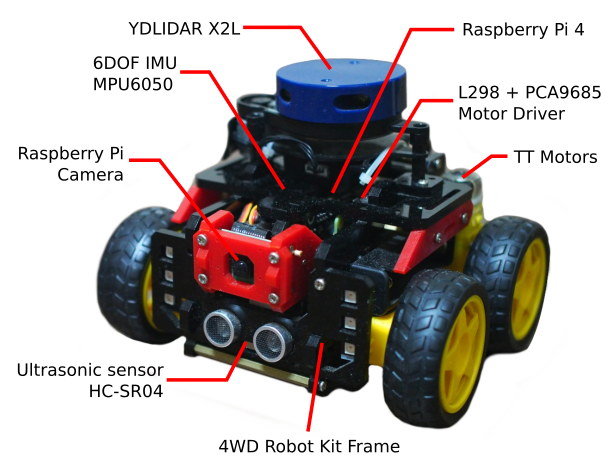
The idea is to build a mini SLAM robot, using a 4WD robot kit that can be improved using additional sensors for SLAM.
Background
I wanted to try a SLAM robot. As I didn’t have any hands-on experience on working on SLAM robots, I think I could try it by building the robot myself.
I searched and found a good 4WD robot kit that already includes several basic components like motor drivers, includes additional components like a camera, and is compatible with Raspberry Pi. I thought this was a good start, since I don’t need to think about the motor-control components.
Then, the idea was simply attaching a small Lidar on top of this 4WD robot, and adding the required Raspberry Pi.
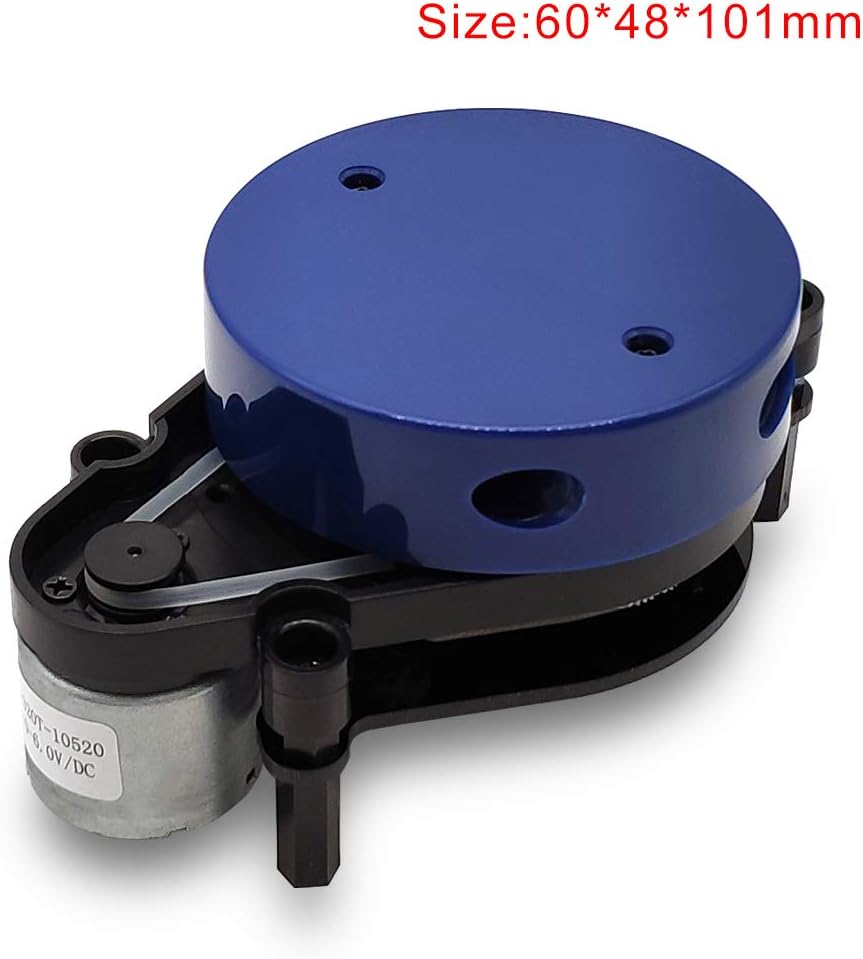
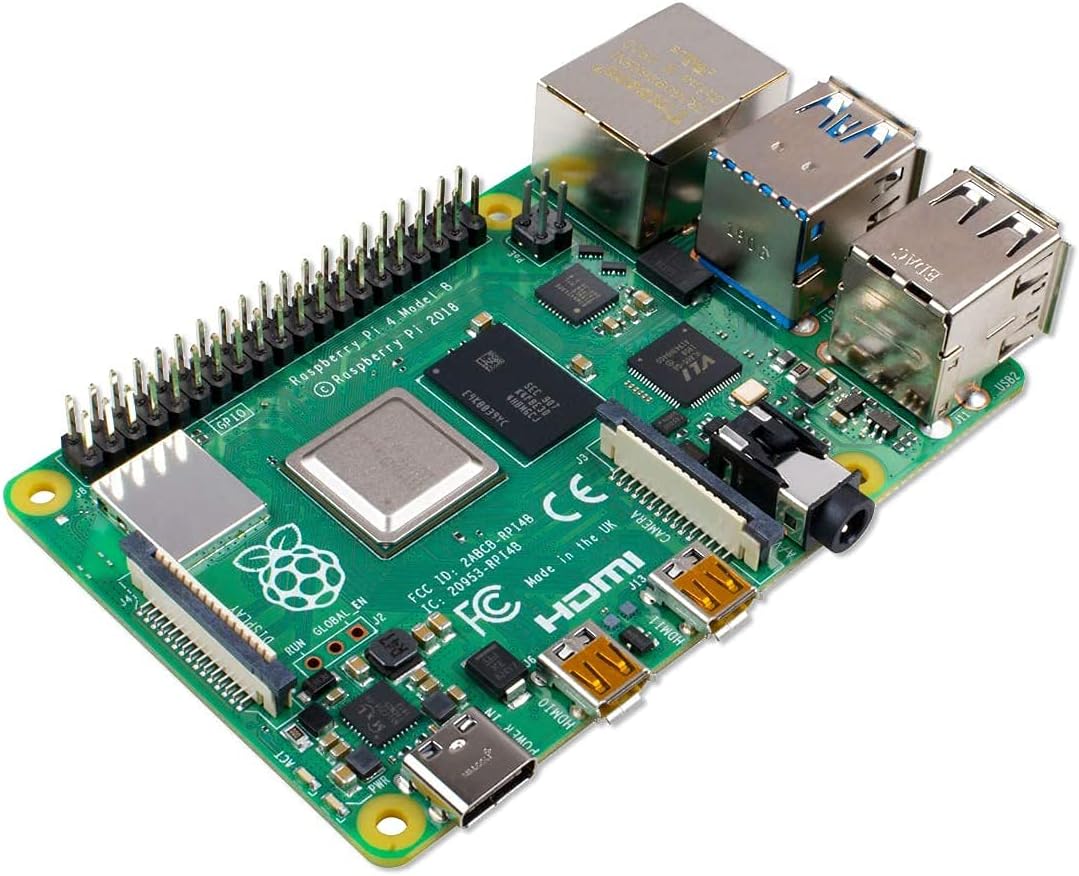
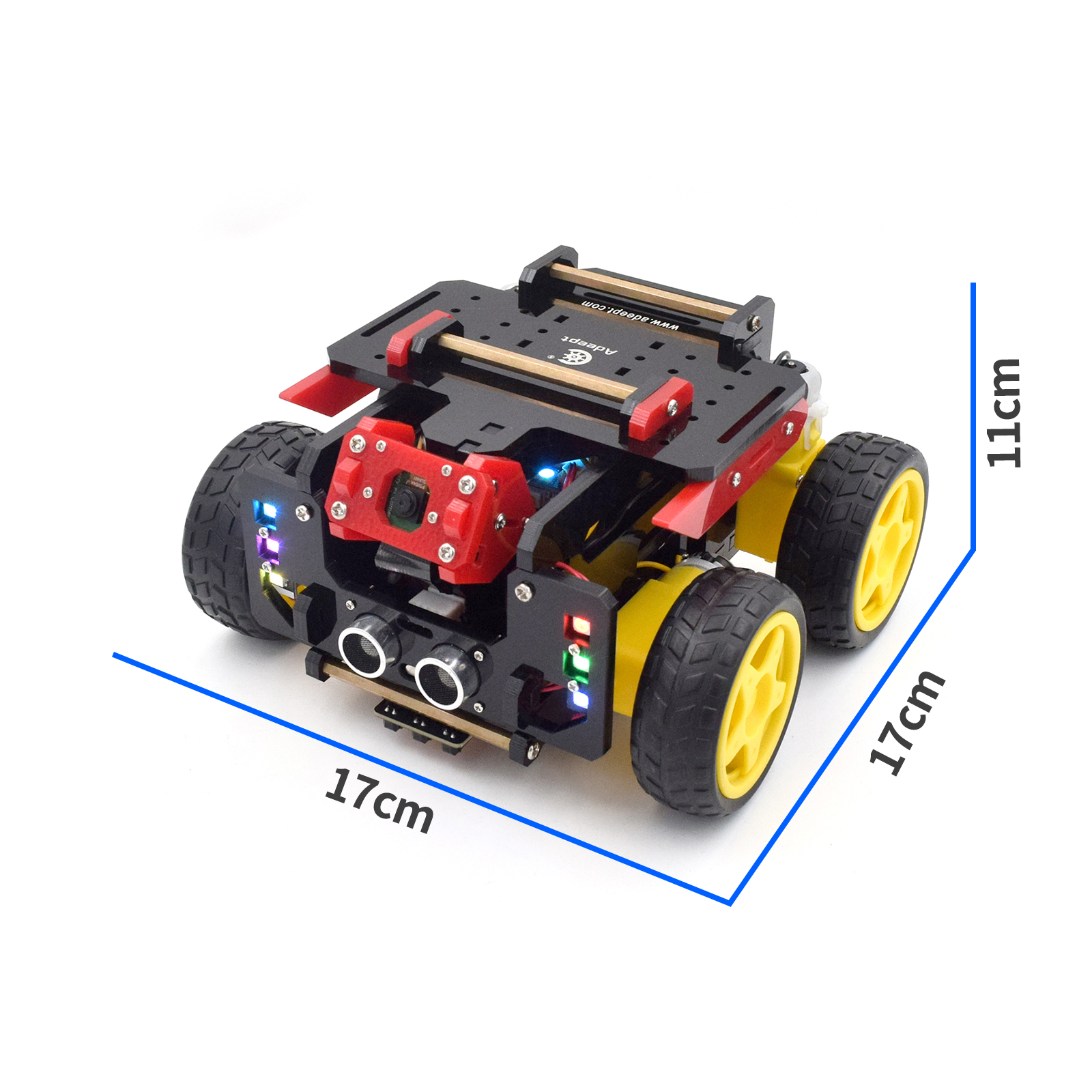
YDLIDAR X2L, Raspberry Pi 4B, Adeept AWR 4D robot kit
Additionally, I also added an MPU6050 as the IMU sensor for future use.
Components
| Part | Product name | Price | Remarks |
|---|---|---|---|
| Robot Kit | Adeept AWR 4D Robot Kit | ¥7552 | store amazon.jp |
| Small Lidar | YDLIDAR X2L | ¥7975 | website (Not X2L, but X2) amazon.jp |
| Raspberry Pi | Raspberry Pi 4B 8GB | ¥9400 | amazon.jp |
| SD Card | Micro SD 32GB Class 10 UHS-3 | ¥600 | |
| IMU | MPU6050 | ¥280 |
Adeept AWR 4D Robot Kit
- Manual: Adeept AWR Manual
- The Latest Code: Official repo
- Official Video
- Official Blog
- Official Forum
YDLIDAR
How to use
1. SDK Installation
- Clone https://github.com/YDLIDAR/sdk/tree/X2L
- Git checkout master (master is OK)
- Build by following the readme
Notes: need to mkdir build first. - Test the build
sudo ./ydlidar_test- Input for X2L: 0, yes, no
Notes:
- The above run with sudo, since communication with /dev/ttyUSB0 need permissions
- On Raspberry Pi, it is not a problem because the lidar will be mounted on /dev/ydlidar
- On Ubuntu (desktop), it will be on /dev/ttyUSB0
- Problem: need to do sudo chmod 666 on every replug
2. ROS Driver Installation
- Create ws for test if needed
- On src directory, clone: https://github.com/YDLIDAR/ydlidar_ros
Note:masterbranch is OK - Need to create the
/dev/ydlidardevice using the shell script- sudo chmod 777 ydlidar_ros/startup/*
- sudo sh ydlidar_ros/startup/initenv.sh
- Unplug and re-plug.
- Confirm by executing:
ls /dev
Building map from Lidar data
Hector SLAM
http://wiki.ros.org/hector_slam
References
Similar articles:
Datasheets: